
Model Context Protocol (MCP): The Universal USB-C Port for LLMs
Every time a new AI model or developer tool launched over the past two years, developers were forced to reinvent the wheel:
- How do we expose our Postgres database to Claude Desktop?
- How do we connect our internal Jira API to Cursor?
- How do we give our CLI tool access to GitHub pull requests?
This created an unsustainable N × M integration nightmare: every client application had to write custom tool wrappers for every data provider.
Anthropic introduced the Model Context Protocol (MCP), an open standard that is doing for AI tool integrations what Language Server Protocol (LSP) did for IDE programming languages and USB-C did for hardware peripherals.
🔌 What is MCP?
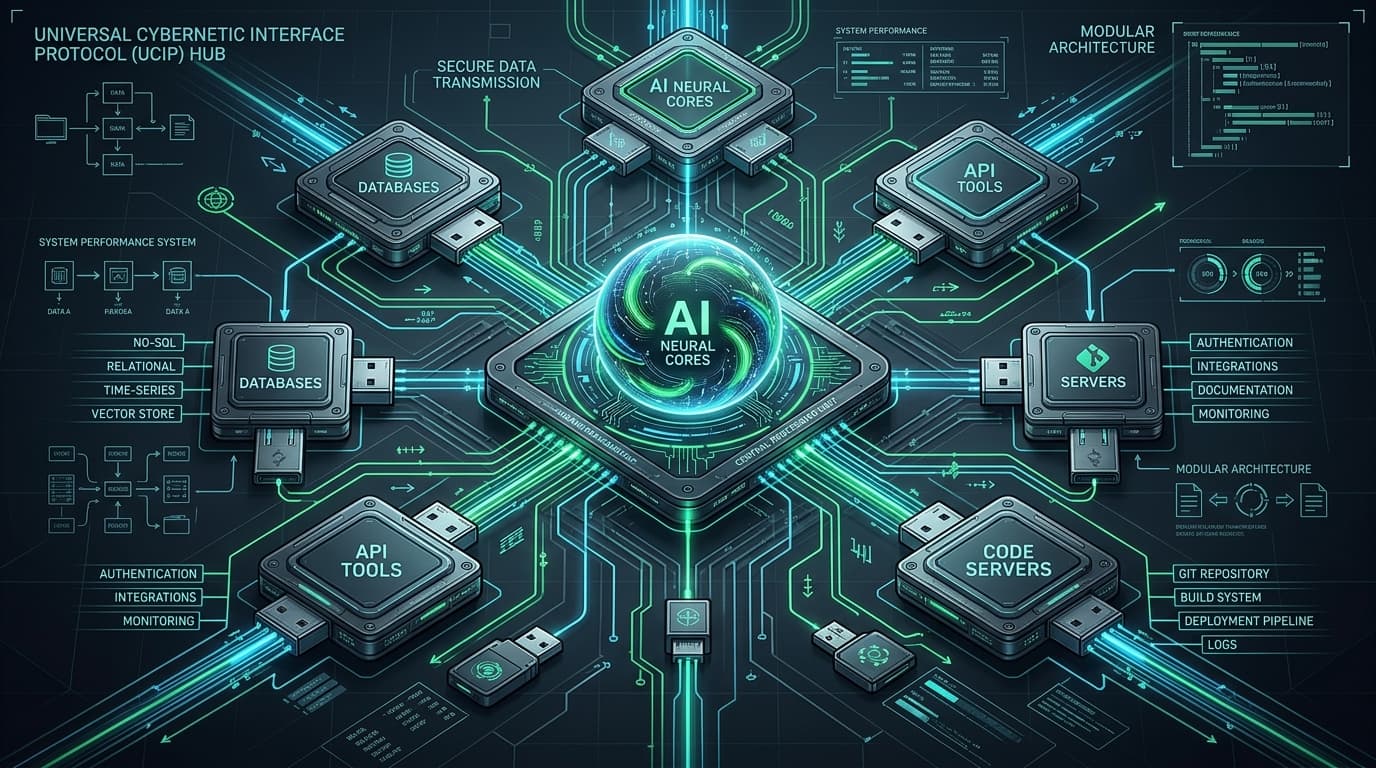
The Model Context Protocol establishes a standardized client-server architecture over standard transport channels (standard I/O or Server-Sent Events over HTTP).
   ┌──────────────────────┐         ┌────────────────────────┐
   │      MCP Host        │         │       MCP Server       │
   │  (Claude, Cursor,    ├────────►│  (Postgres, GitHub,    │
   │   Custom AI Agent)   │◄────────┤   Local Filesystem)    │
   └──────────────────────┘   JSON  └────────────────────────┘
                              -RPC
                              2.0
Under the MCP specification, an AI application acts as an MCP Host. When it needs access to context or tools, it connects to one or more MCP Servers. The server exposes three fundamental primitives:
- Prompts: Reusable workflow templates and system instructions.
- Resources: Read-only contextual data (such as log files, schema definitions, or documentation).
- Tools: Callable functions with structured inputs that mutate state or fetch external data (such as executing SQL, querying an API, or writing a file).
💻 Building a Production MCP Server in TypeScript
Creating an MCP server with the official @modelcontextprotocol/sdk is remarkably straightforward:
import { Server } from "@modelcontextprotocol/sdk/server/index.js";
import { StdioServerTransport } from "@modelcontextprotocol/sdk/server/stdio.js";
import {
  CallToolRequestSchema,
  ListToolsRequestSchema,
} from "@modelcontextprotocol/sdk/types.js";

const server = new Server(
  { name: "postgres-query-engine", version: "1.0.0" },
  { capabilities: { tools: {} } }
);

server.setRequestHandler(ListToolsRequestSchema, async () => ({
  tools: [
    {
      name: "run_read_query",
      description: "Execute a read-only SQL query against the analytics database",
      inputSchema: {
        type: "object",
        properties: {
          sql: { type: "string", description: "SELECT query to execute" },
        },
        required: ["sql"],
      },
    },
  ],
}));

server.setRequestHandler(CallToolRequestSchema, async (request) => {
  if (request.params.name === ) {
     { sql } = request..  { :  };

     {
      : [{ : , : .({ : [] }) }],
    };
  }
    ();
});

 transport =  ();
 server.(transport);
🚀 Why MCP Is Dominating the Ecosystem
- Write Once, Run Everywhere: Once you build an MCP server for your service, it immediately works across Claude Desktop, Cursor, Zed, Windsurf, and custom internal agents.
- Security by Isolation: MCP servers run in separate processes. Permissions, environment variables, and sandbox boundaries can be enforced at the process boundary.
- Ecosystem Velocity: Open-source MCP servers already exist for Postgres, SQLite, Slack, Brave Search, Puppeteer, GitHub, and Docker.
If you are developing enterprise software or developer tooling today, publishing an MCP server is the fastest path to making your data and services AI-native.